No guest slips through the cracks
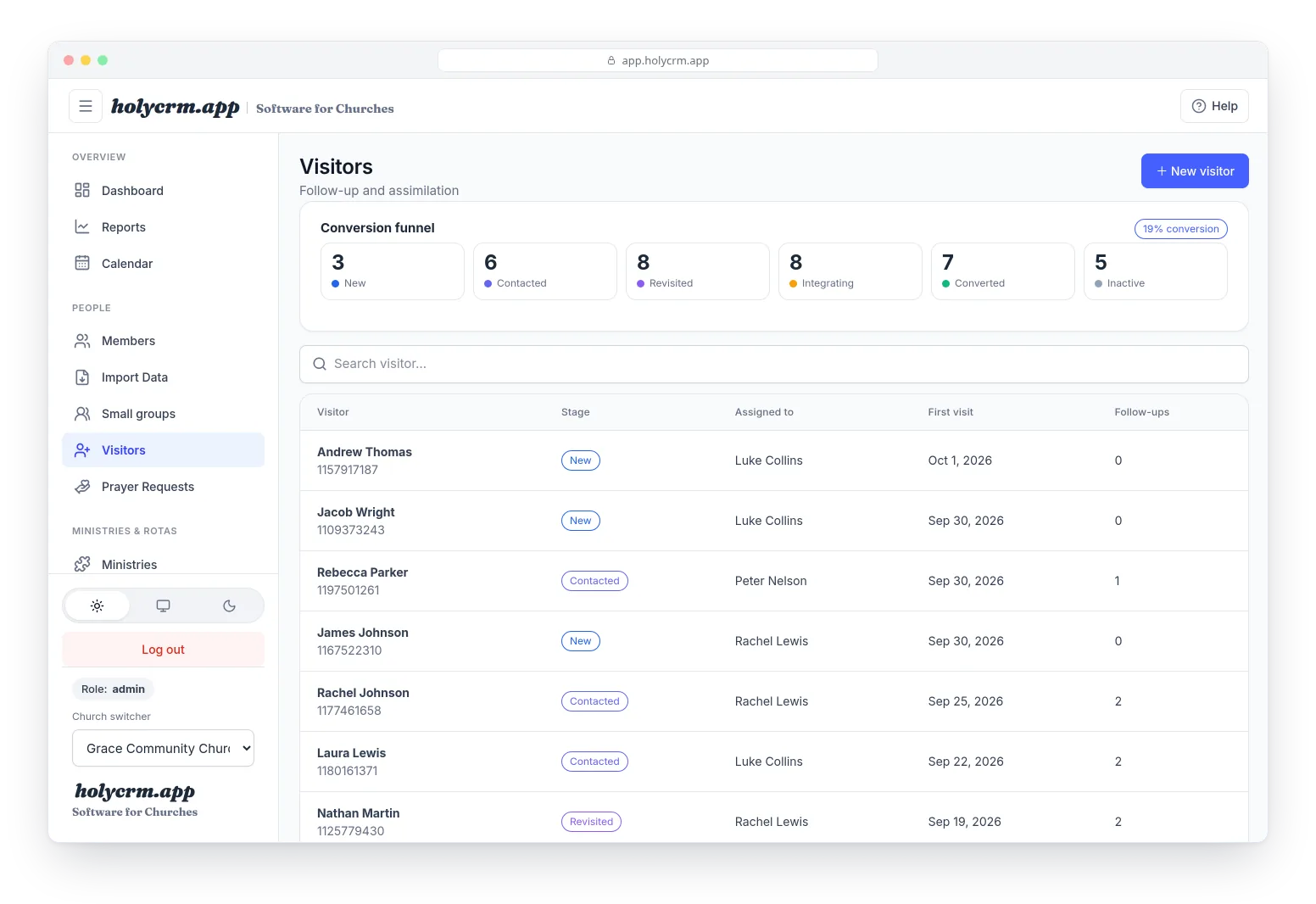
Everyone who visits for the first time is recorded, with someone responsible for following up and every call written down. See at a glance who's still waiting for a call and who's already settling in.
Included in the free plan · try the full app free for 30 days, no card
Guests do come. The challenge is what happens on Monday.
The card nobody picked up
The welcome card ended up in a box, or on the phone of someone who just left on holiday.
Everyone thinks someone else called
Follow-up is shared in a group chat and in the end nobody knows who talked to whom.
You can't tell what works
How many of this month's guests came back? How many stayed? Without numbers, all you have is a feeling.
From their first Sunday to church family
-
1First contact
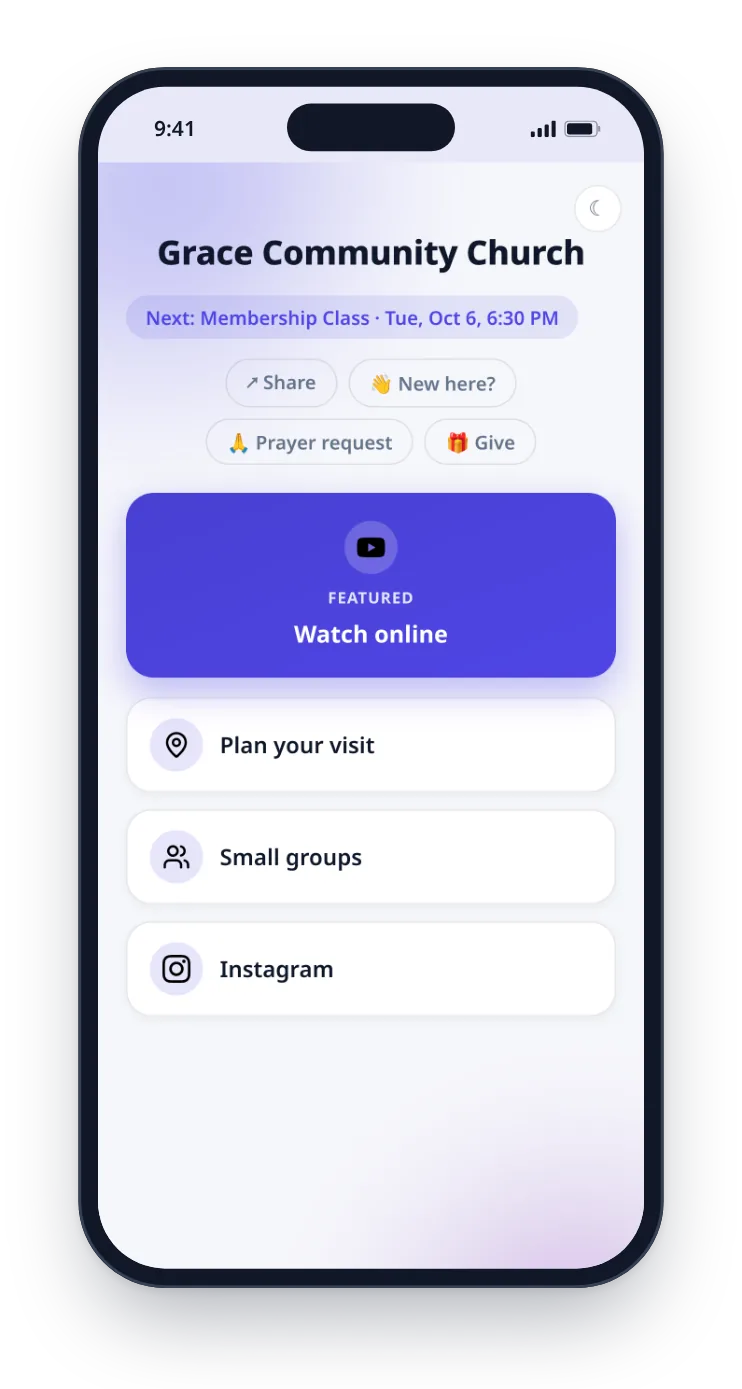
Guests sign themselves in from their phone
With a QR code on the screen or in the bulletin, guests open your church's page and fill in “New here?”. They go straight into your list as a new visitor.
- Your welcome team can also add them at the door
- Only a name is required; the rest can come later
-
2Follow-up
Every guest has a person and a story
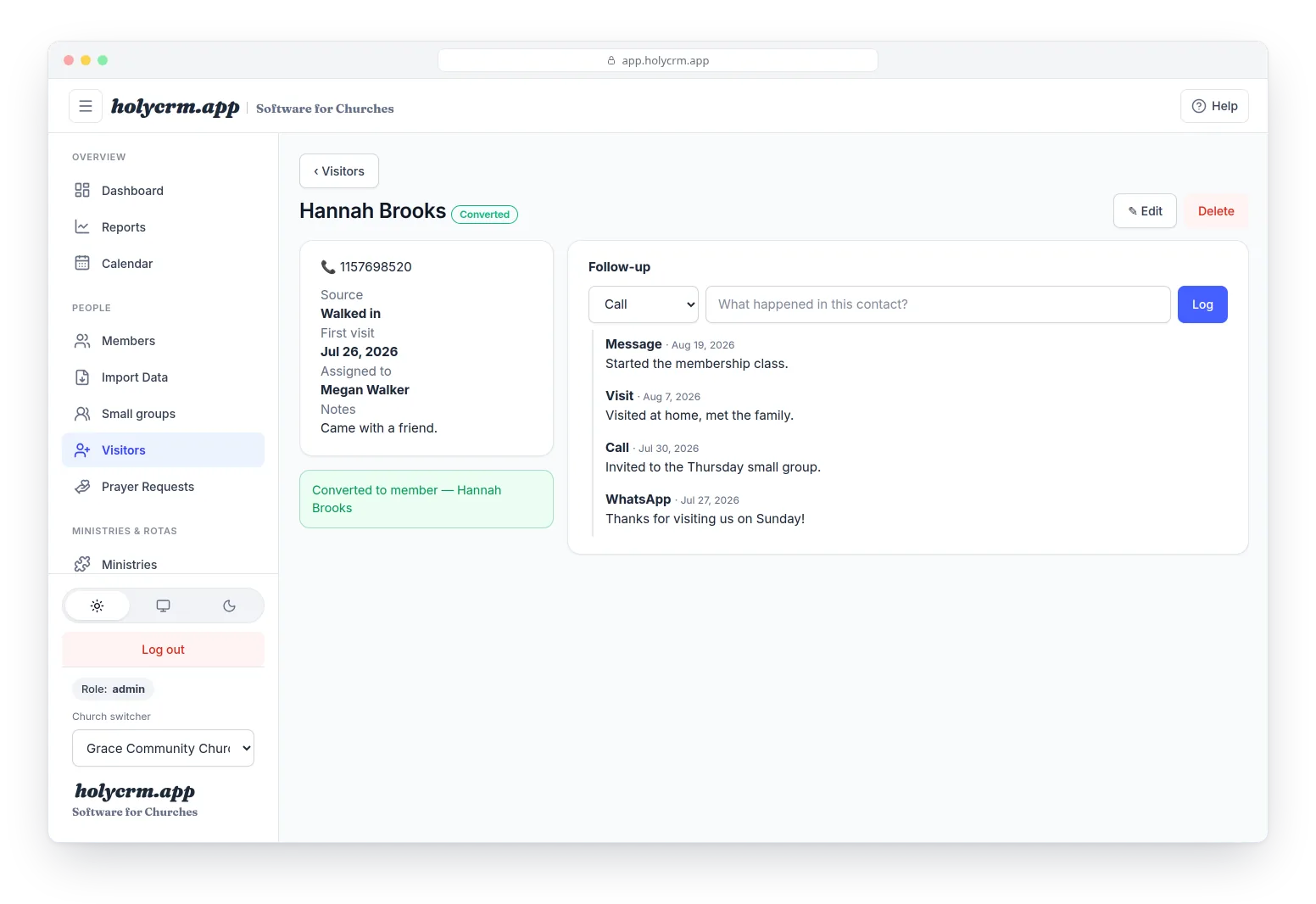
Assign each guest to someone on your team. Every call, message, WhatsApp or visit is logged with its date on their record, so nobody has to remember or ask around.
- Clear stages: new, contacted, came back, integrating, converted
- When they're ready, “Convert to member” adds them to your directory
Know how many guests stay
The funnel shows how many people are at each stage and your conversion rate. In Reports, see how many of this month's guests were followed up and how many now attend regularly.
- Compared with last month
- Guests this month and conversion, on the dashboard too
Follow-up that doesn't rely on memory
A welcome team without extra access
With “Welcome a visitor”, the people at the door add guests without seeing the whole list.
One person per guest
Every guest has someone assigned, not a group chat where everyone assumes someone else called.
WhatsApp and phone at hand
Each guest's phone, WhatsApp and email on their record, ready for the first contact.
How they found you
Social media, an invitation, an event: learn what brings people to your church.
The conversion funnel
See at which stage people stall and where to strengthen your follow-up.
Data kept safe
Only the people you allow can see the visitors list.
Questions about visitor follow-up
Do guests have to download an app?
No. They scan a QR code or open a link and fill in a short form in their phone's browser. Your welcome team can also add them at the door.
Who on my team can see guests?
By default, administrators and coordinators. Your welcome team can add new guests from their own screen, without seeing the full list or deleting anything.
What happens when a guest decides to stay?
On their record, tap “Convert to member”: a member record is created from the details you already have and their stage becomes Converted.
Are there automatic follow-up reminders?
Not yet. What you do have is the list with each guest's stage and the person responsible, and the funnel showing who is still waiting for a call.
Is it included in the free plan?
Yes: the visitors list, follow-up and converting to member are in the free plan, for churches of up to 50 people. The public form on your links page, reports and email are part of the full app, which you can try free for 30 days, no card.
Want the step-by-step? Read the visitors guide in the Help Center
More from HolyCRM
Every guest is someone God brought. Make sure no one goes unanswered.
Start free and set up your follow-up team this week.